
UCSF CALM Microscopy Wiki
UCSF CALM Microscopy Wiki
Wiki
Contents:
- Home
- Microscopes
- Spinning Disk Confocal
- TIRF/N-STORM
- Time Lapse
- 6D
- Crest LFOV/C2
- CSU-W1
- AZ100 Light Sheet
- OMX-SR
- TruLive3D Light Sheet
- C-Trap Optical Tweezers
- QLIPP Timelapse with Nanoindentor
- Snouty Light Sheet
- CVRI Nikon Spinning Disk 1
- CVRI Nikon Spinning Disk 2
- CVRI Leica SPE Confocal
- Other Equipment and Objectives
- Data Analysis Workstations
- Data Analysis
- Sample Preparation
- References & Education
- CALM Information
- Miscellaneous
Contents:
- Home
- Microscopes
- Spinning Disk Confocal
- TIRF/N-STORM
- Time Lapse
- 6D
- Crest LFOV/C2
- CSU-W1
- AZ100 Light Sheet
- OMX-SR
- TruLive3D Light Sheet
- C-Trap Optical Tweezers
- QLIPP Timelapse with Nanoindentor
- Snouty Light Sheet
- CVRI Nikon Spinning Disk 1
- CVRI Nikon Spinning Disk 2
- CVRI Leica SPE Confocal
- Other Equipment and Objectives
- Data Analysis Workstations
- Data Analysis
- Sample Preparation
- References & Education
- CALM Information
- Miscellaneous
Data Storage and Compute
The CALM file server at mic.ucsf.edu.
The CALM has a new file server. It has more capacity than the old one (~870TB) and reading and writing should be much faster, especially from within the NIC with computers on our local high-speed network.
Do not rely on the file server as your only source of your data! In no way can we be held responsible for loss of data from the file server. Moreover, data older than 3 months will be automatically deleted.
Before your can use the server, your PI needs to give approval by taking this this survey. Then, request access from nico.stuurman@ucsf.edu. Please send your short UCSF user name (for me, that is “nstuurman”).
The server can only be used from within the UCSF network. When you are outside, connect through VPN first.
To mount the server from a Windows computer:
- open a File Explorer, and find “This PC”
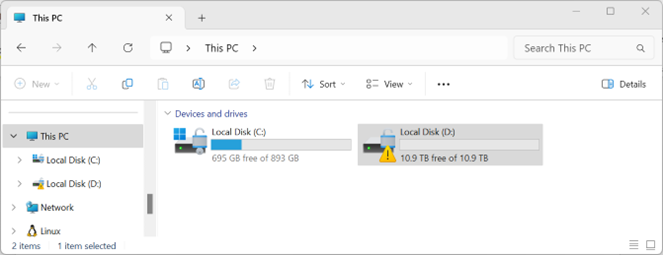
- Right click and Select “Map Network Drive”.
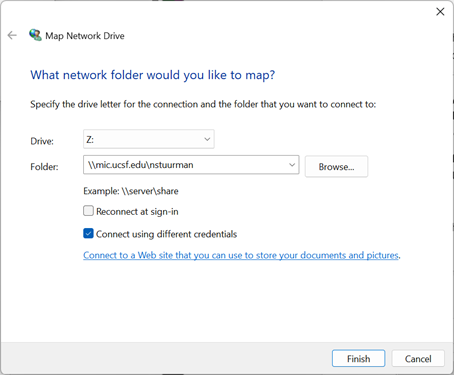
- For “Folder” enter “mic.ucsf.edu\yourShortUserName”
-
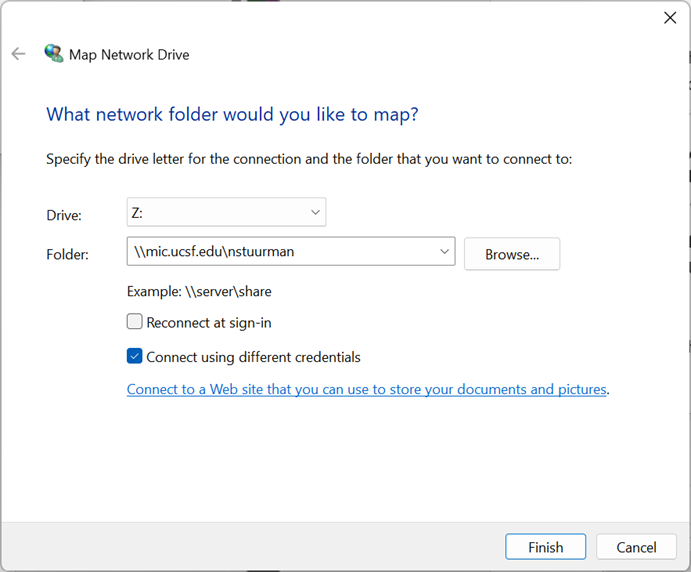
Uncheck “Reconnect at sign-in, and check “Connect using different credentials”.
-
On the next screen, for “User name” type: “campus\yourShortUserName”, and your UCSF password. Make sure that “Remember my credentials” is not checked (on shared computers).
Note that you have your own personal space here. As long as you are within the UCSF network you can reach the mic.ucsf.edu file server.
Please disconnect the drive when you are done using it, especially on a shared computer.
**From Mac:
-
In the Finder go to Go → Connect to Sever
-
Enter smb://mic.ucsf.edu
-
Enter CAMPUS in the Workgroup/Domain field and the your UCSF short username and password.
Nico Stuurman, 20241217