UCSF CALM Microscopy Wiki
UCSF CALM Microscopy Wiki
Wiki
Contents:
- Home
- Microscopes
- Spinning Disk Confocal
- TIRF/N-STORM
- Time Lapse
- 6D
- Crest LFOV/C2
- CSU-W1
- AZ100 Light Sheet
- OMX-SR
- TruLive3D Light Sheet
- C-Trap Optical Tweezers
- QLIPP Timelapse with Nanoindentor
- Snouty Light Sheet
- CVRI Nikon Spinning Disk 1
- CVRI Nikon Spinning Disk 2
- CVRI Leica SPE Confocal
- Other Equipment and Objectives
- Data Analysis Workstations
- Data Analysis
- Sample Preparation
- References & Education
- CALM Information
- Miscellaneous
Contents:
- Home
- Microscopes
- Spinning Disk Confocal
- TIRF/N-STORM
- Time Lapse
- 6D
- Crest LFOV/C2
- CSU-W1
- AZ100 Light Sheet
- OMX-SR
- TruLive3D Light Sheet
- C-Trap Optical Tweezers
- QLIPP Timelapse with Nanoindentor
- Snouty Light Sheet
- CVRI Nikon Spinning Disk 1
- CVRI Nikon Spinning Disk 2
- CVRI Leica SPE Confocal
- Other Equipment and Objectives
- Data Analysis Workstations
- Data Analysis
- Sample Preparation
- References & Education
- CALM Information
- Miscellaneous
Fiji- Viewing orthogonal slices
- Orthogonal slices allow you to view your z stacks from the slide!
- In Fiji OPen your image
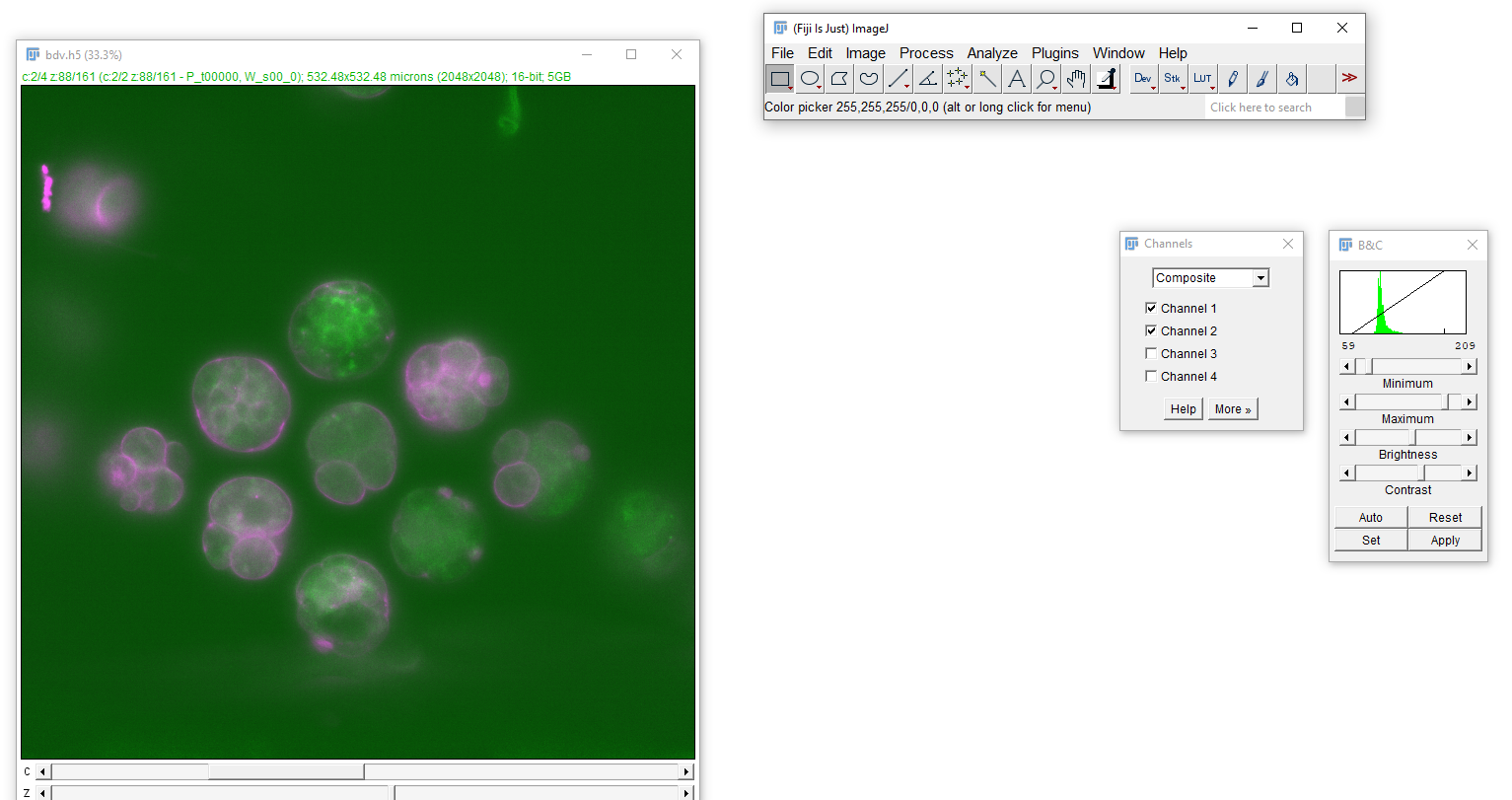
- First set the colors and brightness and contrast for each image
- Color → on Channel on channel bar → go to LUT button and choose channel
- Brightness contrast- Image → Adjust → Brightness and
Contrast
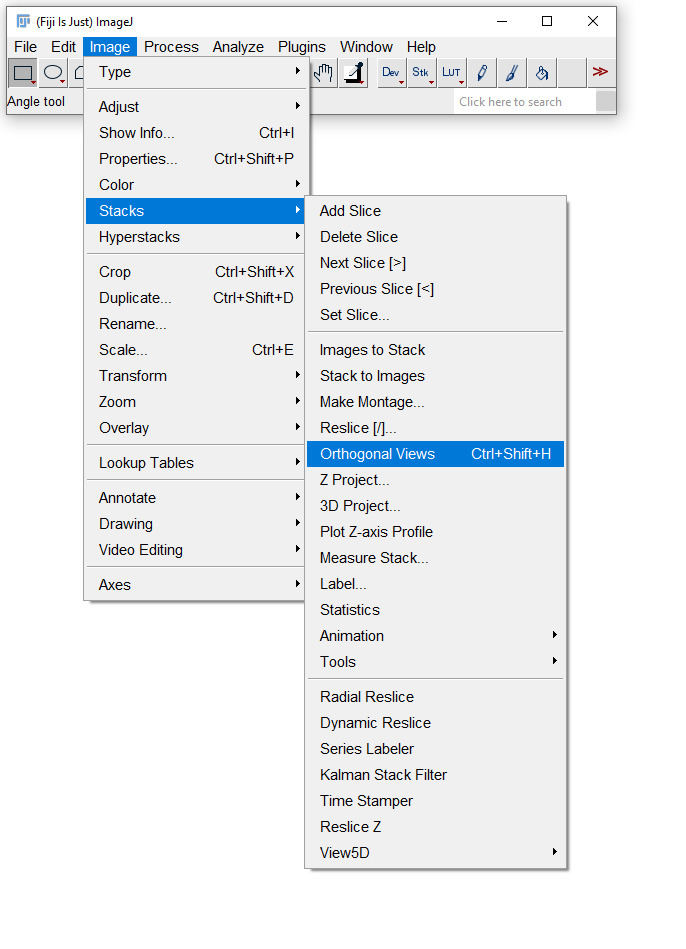
- Image→Stacks→ Orthogonal views
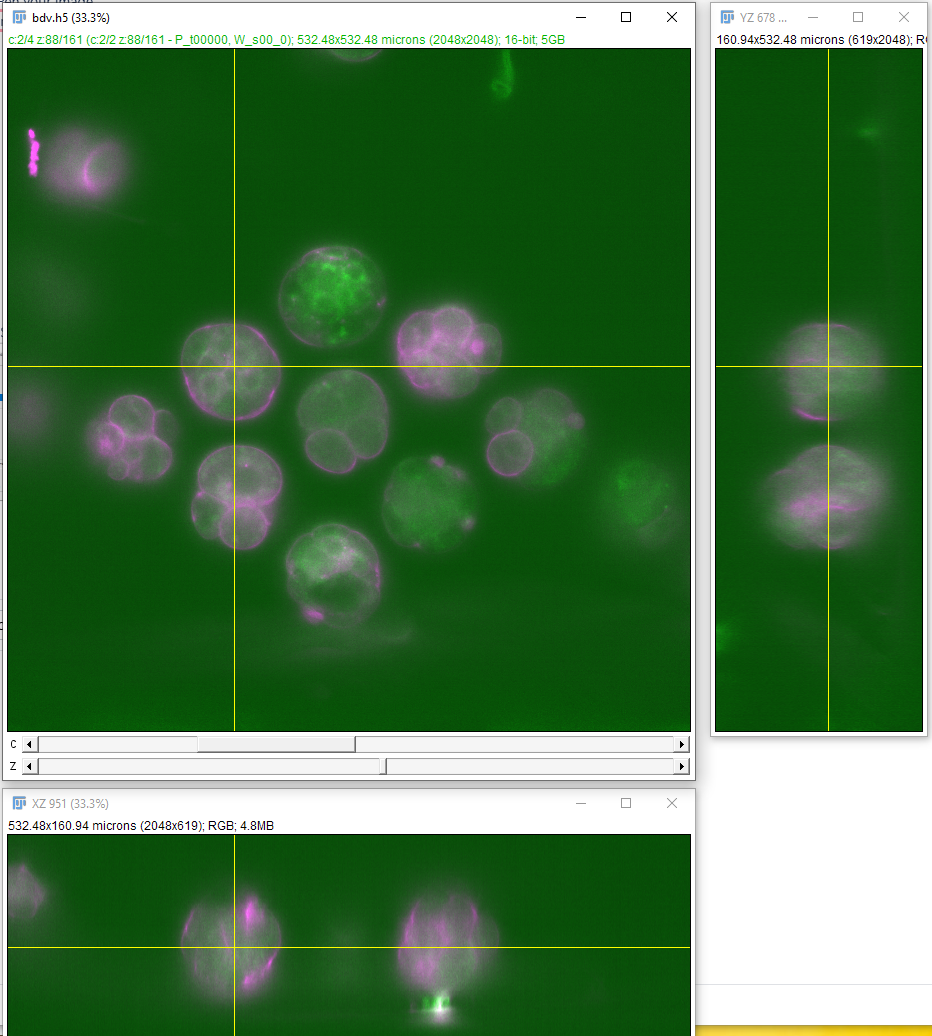
- Move around the cross hairs to see the different regions of the z
sections